

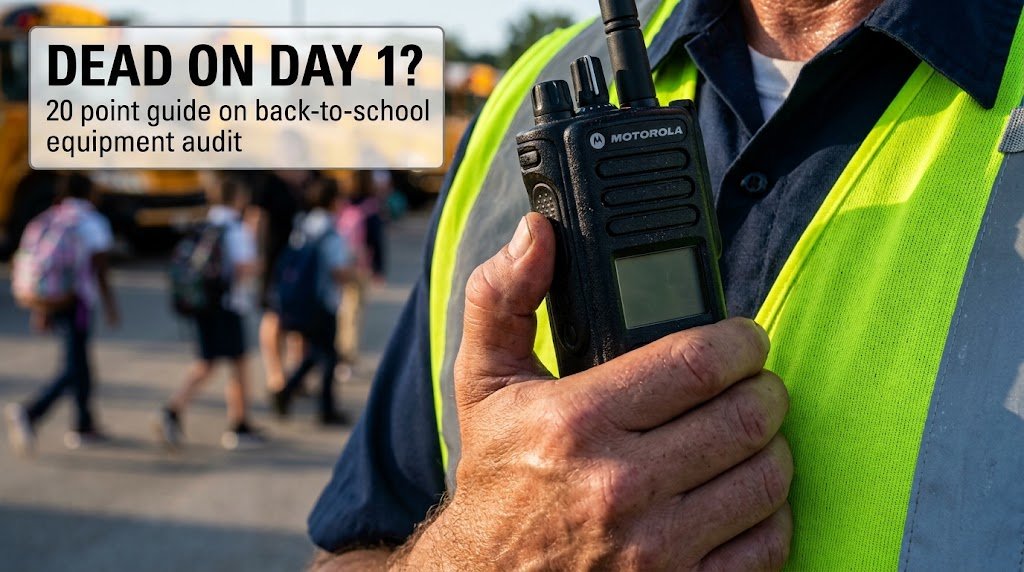
Every August, public school districts and private campuses undergo a familiar operational routine: custodial teams finish deep-cleaning classrooms, grounds crews lay down fresh athletic turf lines, and administrative staff finalize bell schedules. Yet, on Day 1 of the new school year, a critical operational failure consistently rears its head. Facilities directors, campus monitors, and bus drivers pick up their two-way radios, pull them off charger docks, and press the push-to-talk button—only to be met with dead silence, distorted audio, or battery drop-offs within twenty minutes of the morning drop-off rush.
This isn’t a hardware manufacturing fluke; it is the predictable outcome of three months of unmonitored summer storage. When critical communications gear sits in storage lockers or remains plugged into unpowered charging racks at zero percent state-of-charge over the break, internal battery chemistry degrades, seals dry out, and minor physical wear turns into immediate operational downtime.
As districts increasingly implement strict communication policies—such as those detailed in our operational guide on Phone-Free Campus Mandates—support staff can no longer fall back on personal smartphones. Reliable physical radio infrastructure is non-negotiable. Executing a structured back-to-school equipment audit before staff return ensures every handset, repeater, and accessory performs flawlessly when the first bus arrives.
How Summer Storage Causes Battery Degradation
The primary cause of Day 1 radio failure is improper summer battery maintenance. Standard lithium-ion (Li-ion) and nickel-metal hydride (NiMH) radio batteries suffer permanently reduced cycle life when stored incorrectly. Here are some common mistakes schools make that have resulted in their batteries degrading faster than intended:
- “We will charge the batteries in August”: By leaving a battery fully depleted over the summer, you run the risk of permanently changing the the chemistry and shortening the lifecycle of the battery. If the battery is completely drained and left for a prolonged time in that state, the cell voltage could drop below the internal protection circuit’s threshold rendering it incapable of accepting a charge. Even if the battery is not at 1%, self-discharge over time while in storage for weeks will likely cause charge to reach a critically low state where the damage becomes irreversible.
- Leave the batteries on the charger all summer long: The opposite of letting a battery dry out during summer is letting a battery constantly charged all summer long which also causes issues. By leaving radio batteries in a turned off radio while being charged in an energized desktop chargers all summer, cells are subject to continuous trickle charging and parasitic thermal stress. Despite the radio being off, this trickling charge and micro discharge from constantly being charged all summer causes the battery to generate heat, accelerates chemical breakdown, which may cause battery swelling, capacity loss, and housing deformation.
Optimal Storage Baseline: To prevent capacity loss over extended breaks, batteries must be removed from handsets and maintained at a 40% to 60% State-of-Charge (SoC) in a temperature-controlled environment (60°F to 70°F / 15°C to 21°C).
What to Check for During Communication Equipment Inspection?
A comprehensive pre-term audit goes beyond dropping radios into a charger the day before school opens. Facilities directors must direct their teams to inspect four core hardware failure points.
1. Antenna Degradation and Connector Integrity
Radio antennas suffer severe stress from daily staff handling. Field workers routinely pull handsets out of holsters by the antenna whip, causing unseen micro-fractures in the internal radiating element. During your inspection, check for visible cracks in the outer TPU casing, severe bending at the base, and corrosion on the SMA or BNC connector threads. A degraded antenna drastically reduces radio coverage and can reflect RF power back into the radio’s power amplifier, permanently damaging internal circuitry.
2. Housing Seals and Ingress Protection
Custodial work, grounds maintenance, and outdoor bus loading expose radios to heavy moisture, cleaning chemicals, and dust. Inspect the rubber gaskets surrounding the battery compartment, accessory port covers, and volume control knobs. Hardened, dry, or missing seals compromise the unit’s IP67 water and dust resistance, allowing summer humidity or rain to corrode internal printed circuit boards.
3. Accessory Port and Audio Pathway Checks
Debris accumulates in audio accessory jacks and speaker grilles during summer storage. Inspect multi-pin side connectors for bent pins, lint buildup, or oxidation. Clean contacts using isopropyl alcohol and a lint-free swab. Check speaker grilles for metallic dust accumulation—which sticks to internal speaker magnets and muffles outgoing audio—and test all remote speaker microphones (RSMs) and discreet earpieces for clear transmission without static.
4. Pre-Season Load Testing and Condition Monitoring
A radio battery may show a “green light” on the charger while holding less than 50% of its original factory capacity. Facilities teams should run all fleet batteries through automated battery analyzer/conditioner stations prior to the school year. Load testing measures actual milliamp-hour (mAh) capacity under simulated transmission load, identifying weak cells that need immediate recycling before they fail mid-shift.
20-Point Back-to-School Communications Hardware Readiness Audit
Use this standardized checklist across all campus facilities departments to verify equipment readiness before school doors open:
| Audit Category | Item | Inspection Target | Pass / Fail Status |
| Physical Housing | 1 | Chassis inspected for cracks, impact chips, or structural stress | [ ] Pass [ ] Fail |
| 2 | Belt clips and holster retention springs verified fully tensioned | [ ] Pass [ ] Fail | |
| 3 | Knobs (Volume, Channel Select) turn smoothly with distinct detents | [ ] Pass [ ] Fail | |
| 4 | Emergency alert button (orange/red key) mechanically tested | [ ] Pass [ ] Fail | |
| Antenna & RF | 5 | Antenna outer sheath free of splits, kinks, or exposed wiring | [ ] Pass [ ] Fail |
| 6 | Antenna connector threads clean and firmly torqued to chassis | [ ] Pass [ ] Fail | |
| 7 | Antenna band/frequency marker matches campus channel plan | [ ] Pass [ ] Fail | |
| Power & Battery | 8 | Battery contacts cleaned and free of oxidation or pitting | [ ] Pass [ ] Fail |
| 9 | Battery casing shows no sign of swelling, warping, or leakage | [ ] Pass [ ] Fail | |
| 10 | Battery latch mechanism locks securely without play | [ ] Pass [ ] Fail | |
| 11 | Battery capacity load-tested at ≥ 80% original mAh rating | [ ] Pass [ ] Fail | |
| Audio & Accessories | 12 | Speaker grille mesh clear of dust, metal filings, and debris | [ ] Pass [ ] Fail |
| 13 | Microphone port clear of blockages for crisp voice pick-up | [ ] Pass [ ] Fail | |
| 14 | Side accessory dust caps installed on radios without headsets | [ ] Pass [ ] Fail | |
| 15 | Remote Speaker Mics (RSMs) strain-relief cables intact | [ ] Pass [ ] Fail | |
| 16 | Earpiece PTT buttons tested for positive tactile feedback | [ ] Pass [ ] Fail | |
| Infrastructure & Fleet | 17 | Multi-unit charger pocket contacts cleaned and tensioned | [ ] Pass [ ] Fail |
| 18 | Multi-unit charger power supplies inspected for cord fraying | [ ] Pass [ ] Fail | |
| 19 | Handset firmware updated to current district standardization | [ ] Pass [ ] Fail | |
| 20 | Radio fleet ID labels legible and synced with inventory log | [ ] Pass [ ] Fail |
Institutionalizing Annual Maintenance Protocols
A successful back-to-school equipment audit shifts school operations from reactive firefighting to proactive asset management. Catching degraded batteries, damaged antennas, and worn housing seals during the quiet summer weeks prevents costly rush shipments, removes field communication bottlenecks, and ensures campus safety teams remain fully connected from the moment doors open.
For more technical guides on managing institutional physical assets, visit our Facility Ops hub. To explore broader strategy and operational standards tailored for K-12 and higher education, browse our dedicated Education Topic Center.
One thought on “The Back-to-School Equipment Audit: A Step-by-Step Hardware Inspection Guide for Facilities Directors”